How Google Workspace Studio automates repetitive tasks


Highlights from the latest webinar
This year's Google Cloud Next in Las Vegas made it clear where the modern workplace is headed: the focus is on smart automation and AI assistants that take over tedious routine tasks for us.
In our latest webinar , Kevin (StackWorks AG) and Chanel Greco (Google) presented the most exciting updates—from chat AI to agents that take action. Here’s a summary of the key takeaways for you.
From Chat AI to an "Agent" That Takes Action
We are moving away from simple chatbots toward what are known as “agents.” This means that AI no longer just answers questions, but independently performs tasks within applications ( a process known as “acting”), such as composing an email or creating tickets.
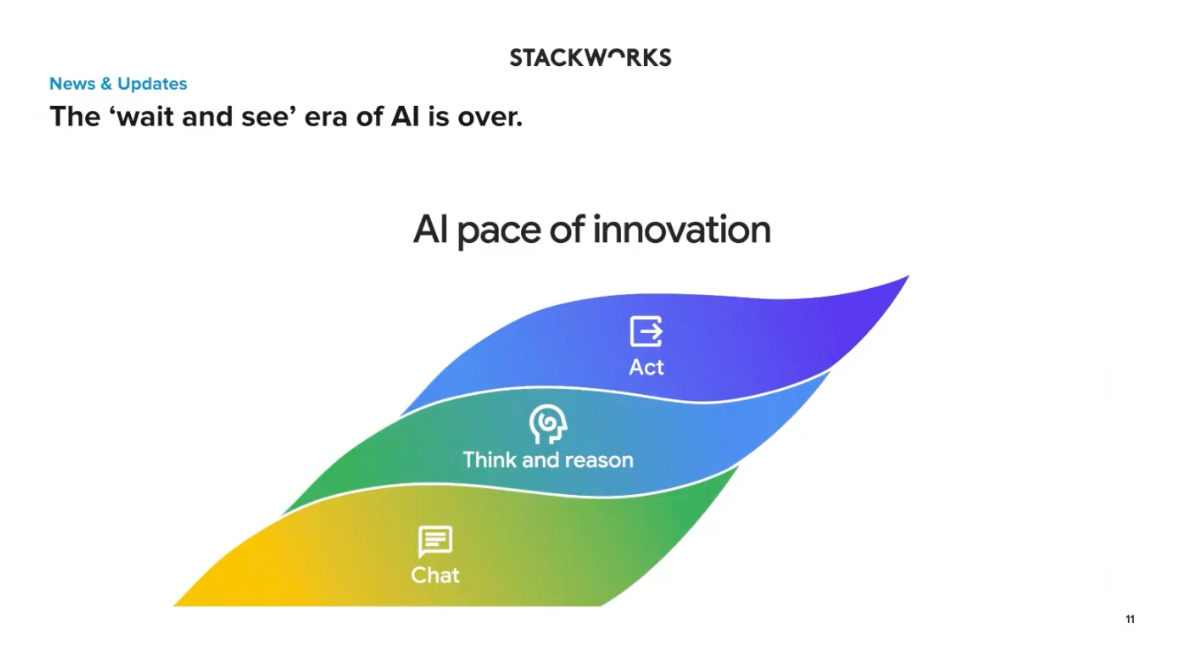
This is made possible by a new intelligence layer that has been integrated across all Google core products, such as Gmail, Drive, and Chat. As a result, the AI has access to the full business context of files and emails and knows exactly what people are currently working on. Two features are particularly noteworthy:
- Skills: Until now, it has been difficult to teach the AI unwritten company rules. With “Skills,” you can now define things like the desired tone of voice for emails or formatting guidelines for text documents, which the AI will follow.
- Canvas Mode: You no longer have to go through the hassle of opening documents or presentations (such as Google Slides) in Google Drive. You can now edit and work on them directly in the Gemini Enterprise chat window.
Live Demo: The New Google Workspace Studio
While Gemini Enterprise offers enterprise-wide, centrally managed AI solutions, the new Google Workspace Studio is designed specifically for end users. It is an integrated no-code platform that allows users to automate everyday, recurring workflows without any programming knowledge.
Creating these automations is very user-friendly and can be done in three ways: using templates, manual configuration, or simply via text prompts through Gemini.

Recording of the webinar: Automating Workflows with Google Workspace Studio
How does this kind of "flow" work in Workspace Studio?
Every automated process is based on three logical components:
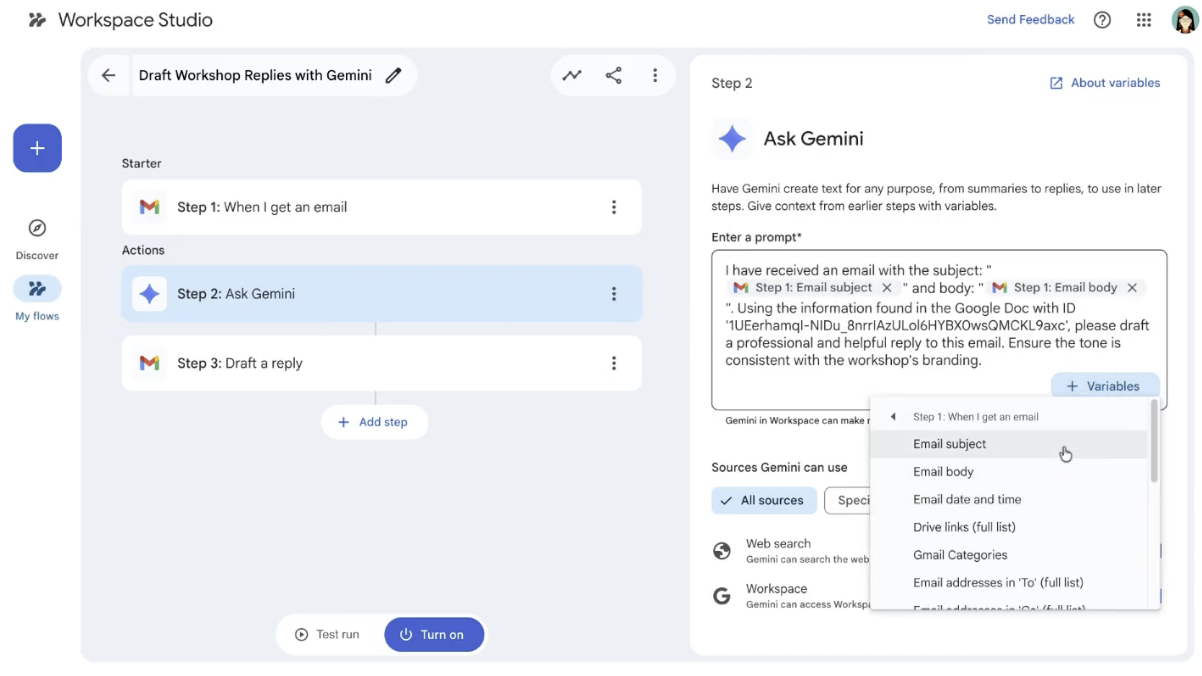
- The trigger: The event that sets the workflow in motion. This can be a specific time or an event (e.g., “When a new email arrives” or “When a Google Form is filled out”).
- Logic / Thinking (Brain): This is where Gemini comes in. The AI reads and understands data in context. It can summarize emails, set priorities, or analyze the tone of customer feedback.
- The steps/actions (output): The tasks that the system then performs (e.g., “Create a ticket,” “Send a chat message,” or “Enter data into a spreadsheet”).
Practical examples from everyday life
- Responding to emails: Do you constantly receive inquiries about a specific topic? You can create a flow where Gemini responds to incoming emails, pulls the necessary information from a linked Google Doc, and automatically drafts a professional email reply.
- The Morning Briefing: A template allows you to automatically receive a formatted summary of your most important unread emails every morning, either directly in your inbox or as a Google Chat message, complete with prioritized tasks (action items).
Data security is guaranteed
With all these smart features, security is the top priority. Google explicitly emphasizes the principle of “security by default.” Everything processed using the Gemini tools in your Workspace remains strictly within the company.
The data is not shared externally, is never used to train public AI models, and cannot be viewed by third parties.
Recommendations for getting started
Our tip: Appoint an internal AI lead. This person should delve deeply into the technology, evaluate potential use cases, and introduce the team to the new features of Google Workspace Studio in small, iterative steps.
Implementing Google Workspace Studio in Your Organization